Just tell Scout™
what to do.
Field Looker Pro runs your service business from one conversation. Ask Scout, our AI agent, to schedule crews, write proposals, chase invoices and send campaigns, and it does the work in the app while you're on the job. Nothing to learn. And it sends you local clients.
No credit card. A free listing in the local pro directory is included.


 Scout™AI agent
Schedule the Bryant railing install for Monday with Marcus's crew and let Laura know.
Done. Railing install is on Monday, Oct 27 with Marcus Delgado's crew.
Email Laura Bryant? “Your railing install is set for Monday…”ApproveEdit
Built for crews that work outdoors, on site and in homes
Pick your trade to see how it works for you.


Customer story · Lawn care
Reds Lawn Care: 8x the clients. Same two crews.
Read the story“My clients get an email when we're on the way and another when we're done, with photos to prove it. It makes us look a lot more professional, and it's the main reason I've stayed with Field Looker Pro.”
4.3 / 5 on Google
Recommended by Wolf Ranch HOA neighbors8x
clients in 18 months (164 to 1,321+)
+78%
collection rate since billing moved to Field Looker Pro
3 min
a day on service records with Scout, instead of 30 to 60 min by hand
2
crews, before and after
Meet Scout™, your AI agent
Skip the software training. Just talk to Scout.
Scout can do anything the app can do. It knows your customers, crews, price book and schedule, works on every page, and does the clicking for you. You stay on the job site; it keeps the office moving.
“Draft a proposal for a 16×20 composite deck with a pergola for the Colemans.”
Built it from your price book with your margins, ready for you to review and send.
“Move Thursday's deck jobs to Friday and let the customers know.”
Rescheduled 3 visits, kept each crew's route, and emailed the homeowners once you approved.
“Who owes us more than $1,000 past 30 days? Send reminders.”
Found 4 invoices, $11,240 outstanding, and sent friendly reminders after you approved.
“Log a two-day weather delay on the West kitchen and tell the customer.”
Pushed the schedule, logged the delay, and posted an update to the customer's project page.
“Make a fall flyer for deck staining with a QR code for quotes.”
Designed a print-ready flyer with your logo; scans land in Leads with automatic follow-up.
“What's left on the Bryant deck, and is anything running behind?”
Three phases left; framing finished two days early. Railing install starts Monday with Marcus.
You approve what matters
Anything that emails a customer or costs money waits for your OK. Every change is logged.
Automations that run themselves
Lead follow-ups, payment reminders, billing rules, delay notices and weekly reports go out on their own.
From the truck or the desk
Use it on your phone between jobs or at the office. Snap a photo of a site, a sketch or a receipt and attach it.
Everything in one place
The whole business, from lead to final invoice
Clean screens when you want them, Scout when you don't. Here's a real deck and outdoor living company running on Field Looker.
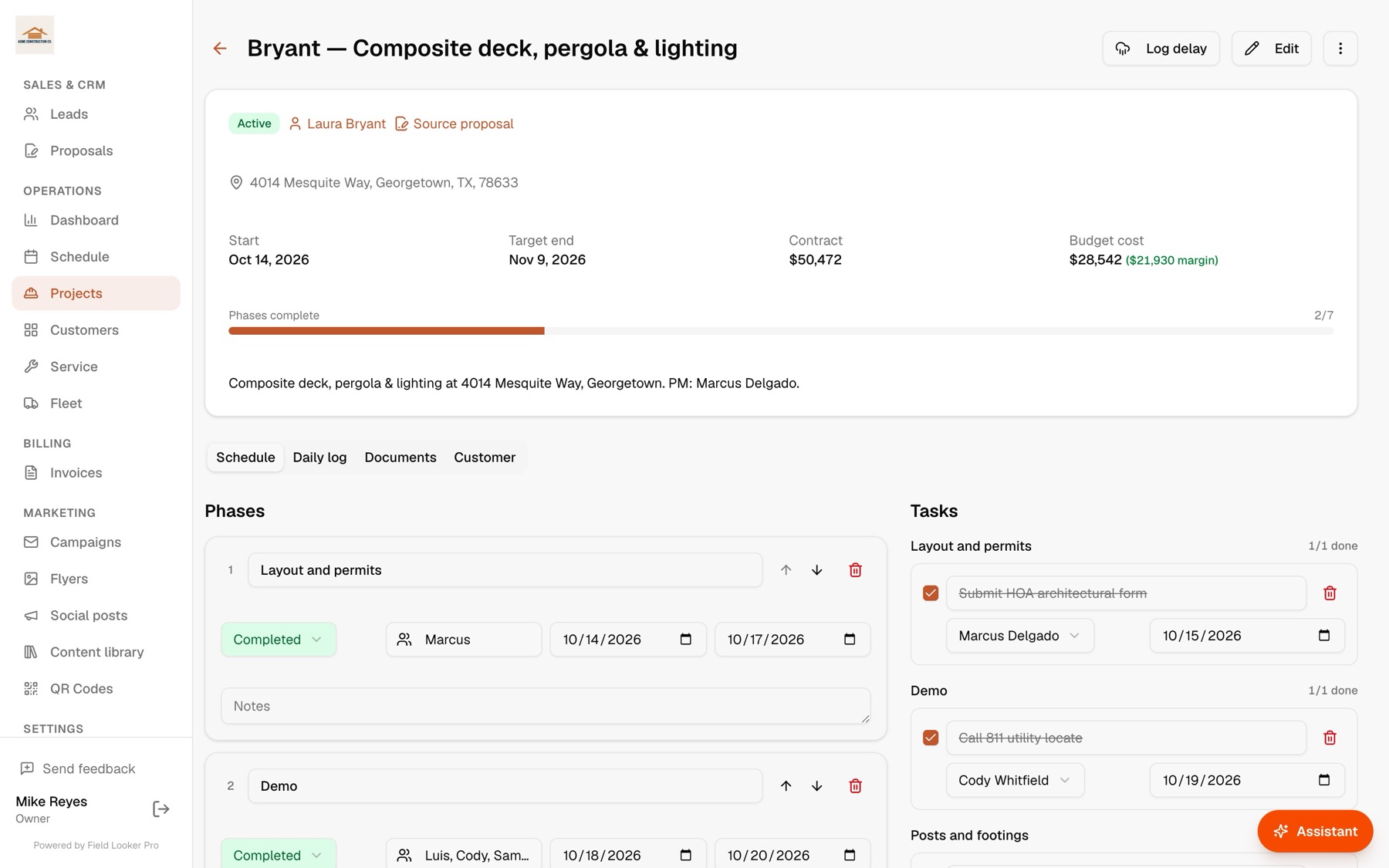
Projects
Multi-day jobs, phase by phase
Phases, crews, tasks, delays, daily logs with photos, and plans, permits and contracts in one place. See your real margin before the first board goes down.
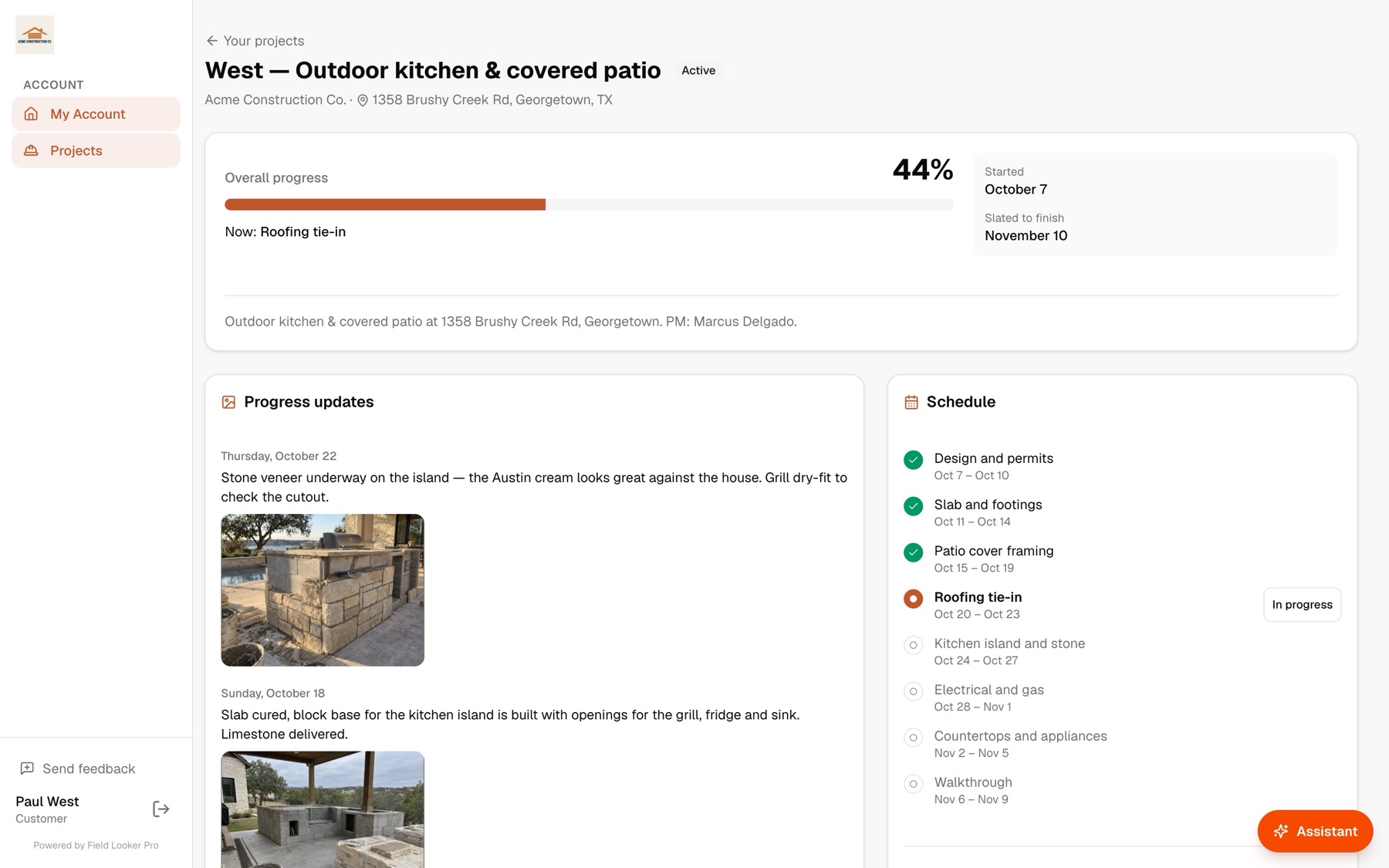
Customer portal
Customers see progress, not your project plan
Homeowners get their own page: progress, the current step, a calendar, the photos you choose to share, and a message thread. Their questions land in your inbox.
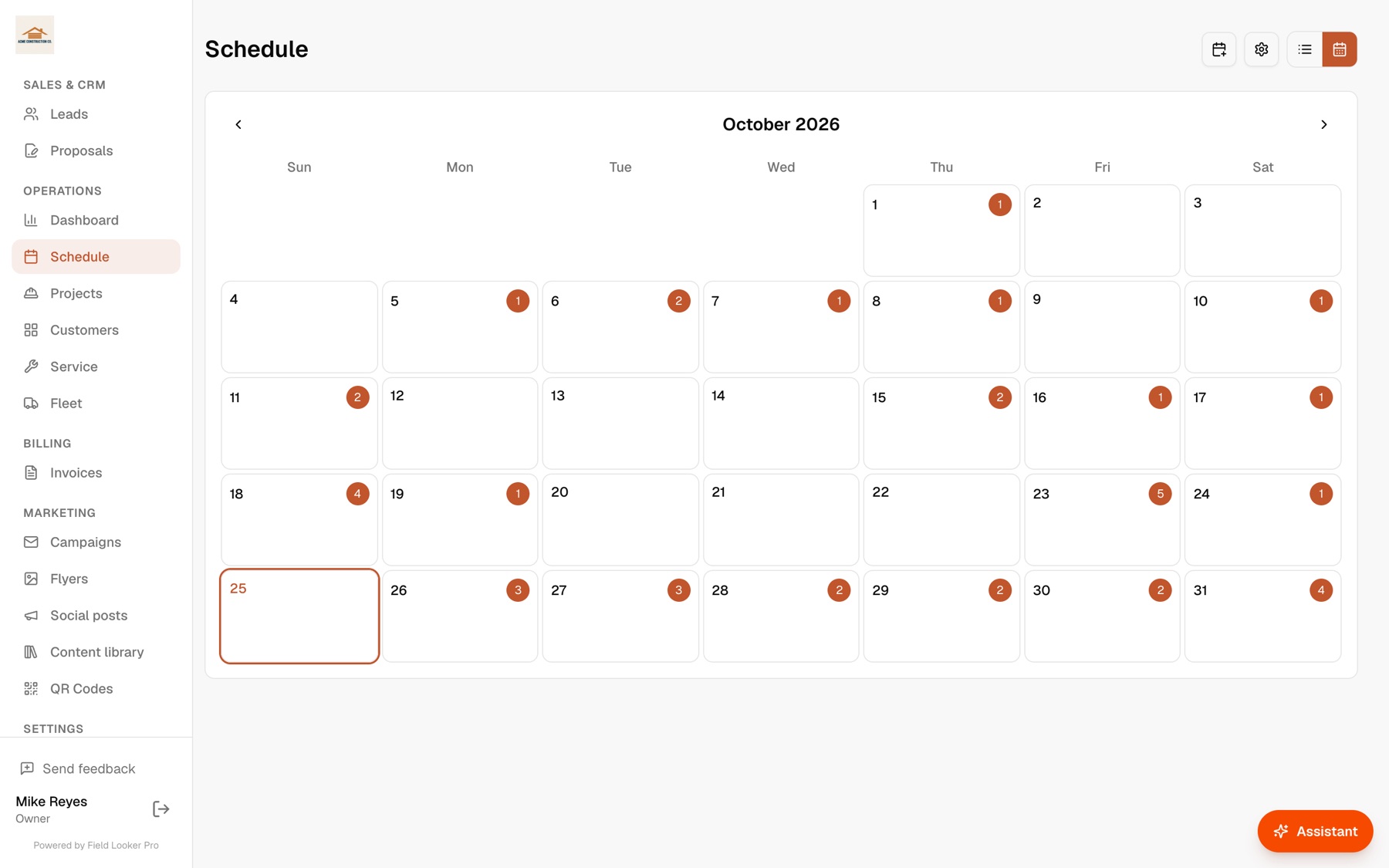
Scheduling & dispatch
Every crew, every stop, the best route
Plan the week, optimize routes per crew, and open the day in Google Maps. Crews get their jobs on their phone and close them out with photos.
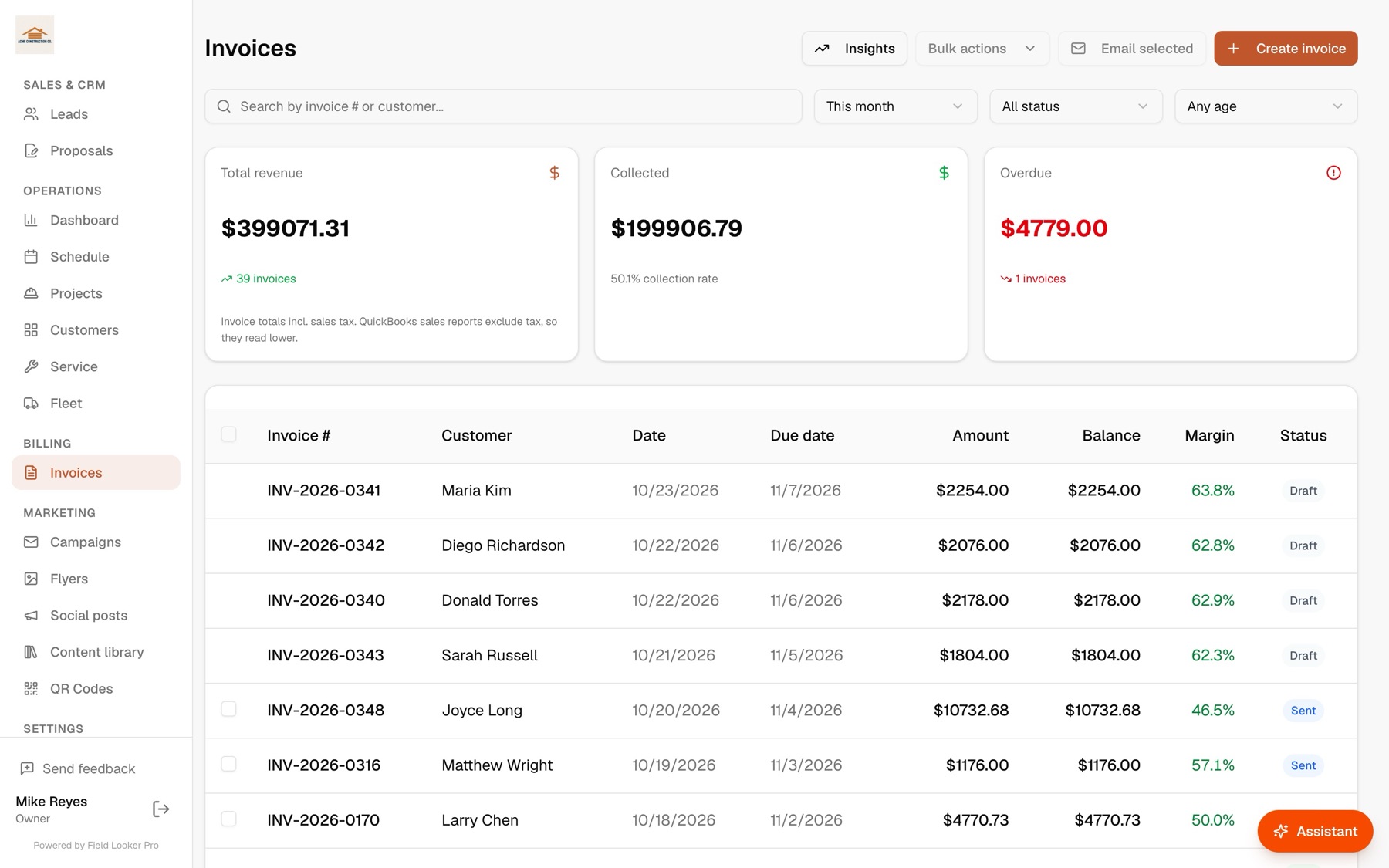
Invoicing & QuickBooks
Get paid, and keep QuickBooks in sync
Invoice from the job, see margin on every invoice, send reminders automatically, and sync customers, invoices and payments with QuickBooks both ways.
Two-way sync with QuickBooks Online
Synced with QuickBooks
Customers, invoices & payments
Marketing
Flyers, posts and campaigns in minutes
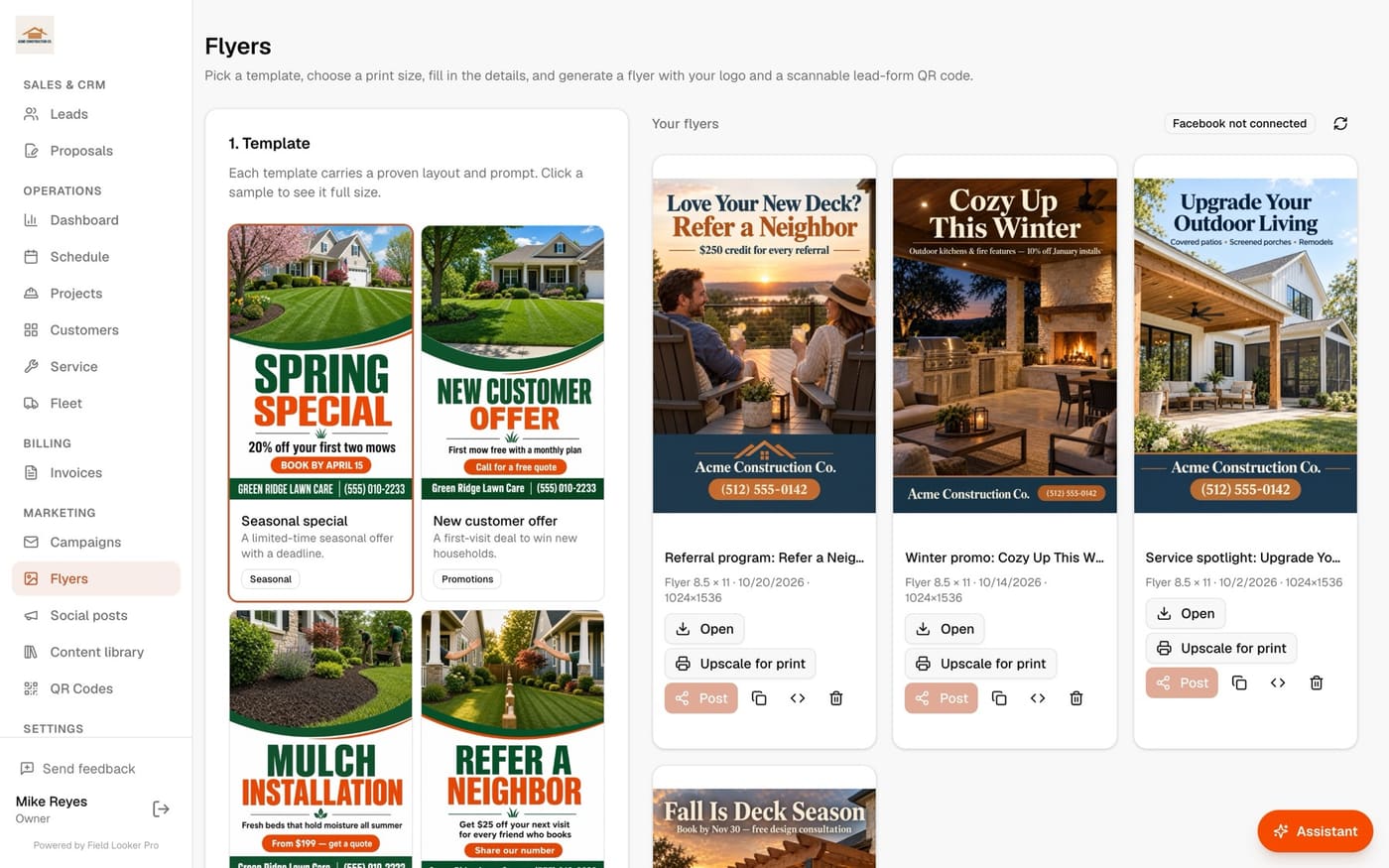
AI-designed flyers with your logo and a quote QR code, social posts, and seasonal email campaigns to your own customers. Print-ready files included.
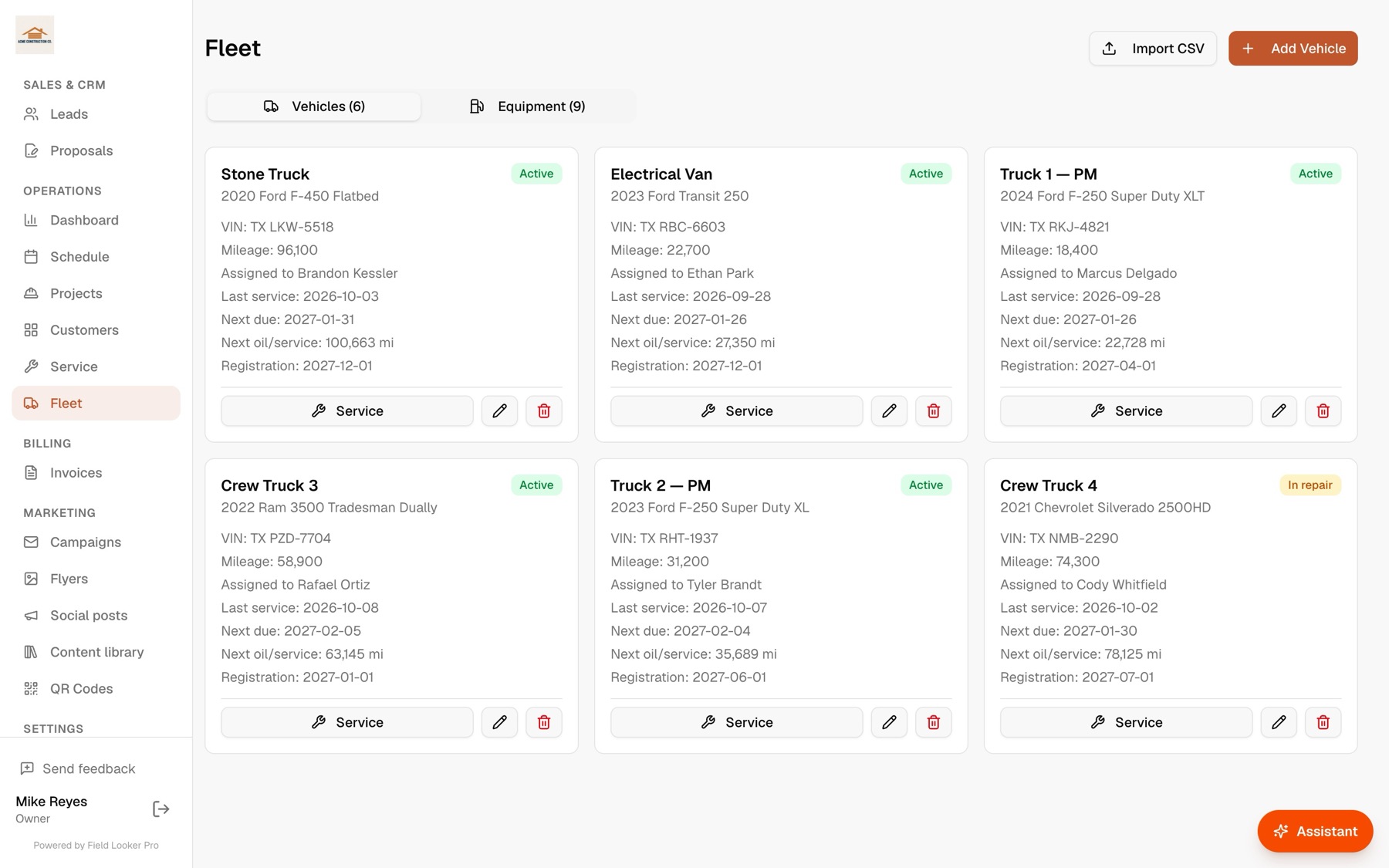
Fleet & equipment
Trucks and gear, serviced on time
Mileage, registration and service due dates for every truck and machine, with reminders before anything lapses.
Keep customers in the know
Customers who feel informed come back, and send their neighbors
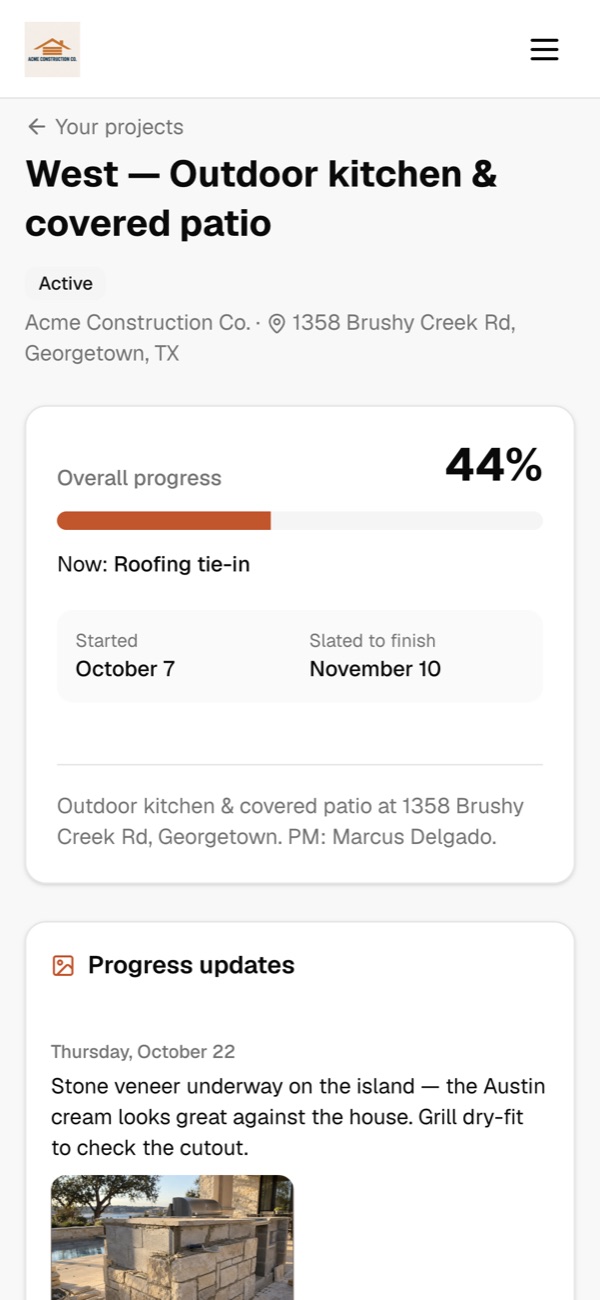
Every customer gets their own project page. They see progress, the schedule and any delays as soon as you log them, and they can message you directly. Fewer “where are we at?” calls, smoother jobs, and the kind of experience that turns into repeat work and referrals.
- Customers message you right from their project page. You get an email the moment they do, and they get one when you reply.
- Log a weather or materials delay and they see why and for how long, with an optional email so nobody is surprised.
- A live calendar of every phase, so they know when crews will be on site.
- Progress photos and the files you choose to share: plans, renderings and the signed contract.
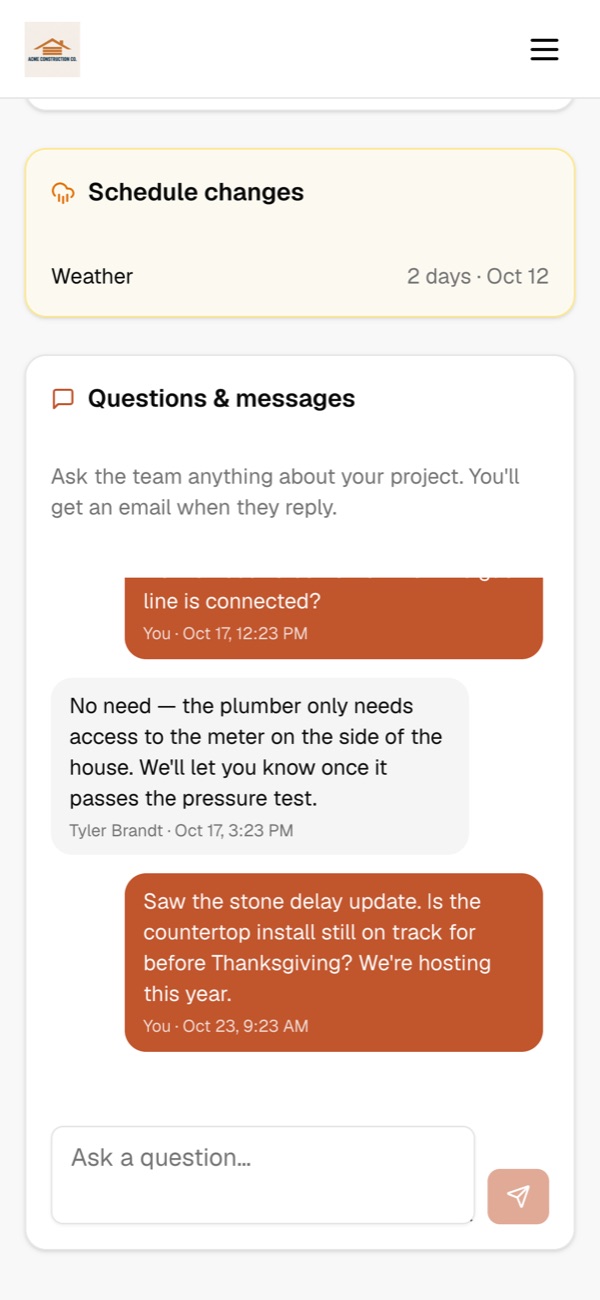
New message from Paul West
“Is the countertop install still on track for before Thanksgiving?”
Quote QUO-2026-0121
Covered patio — Coleman residence
Total $37,968.48 · Deposit $11,390.54
Full name
Richard Coleman
I agree to the work and price and to sign electronically.
Sign and accept
Close the job from anywhere
Signed, deposit requested, ready to start
No more driving across town to get a signature. Customers open your quote on their phone, sign it, and the deposit invoice goes out automatically, through QuickBooks, so they pay the way they already pay you.
- Accept and sign from any phone, tablet or computer
- Deposit as a percent or a flat amount, invoiced the moment they sign
- A signed record with time, name and a fingerprint of exactly what was agreed
- You get an email the minute it's signed, and Scout can tell you who's waiting
More than software
The software that also sends you clients
Every Field Looker business gets a free profile in our local pro directory and on neighborhood pages, where homeowners see who their neighbors actually recommend. Quote requests land straight in your Leads, with follow-ups sent for you. No pay-per-lead, no bidding against five other pros.
Field service software
Scheduling and invoicing, but finding customers is still on you.
Lead marketplaces
You pay per lead, compete with other pros, and still need software to run the job.
Field Looker Pro
Runs the business, with Scout, an AI agent that does the busywork, and a directory that brings neighbors to you.
Works with the tools you already use
Field Looker connects to more than 1,500 apps, so your accounting, calendar, email, files and e-signatures stay where they are. Use something that isn't listed? Tell us and we'll connect it.
- QuickBooks
- Stripe
- Gmail
- Google Calendar
- Google Drive
- Google Sheets
- Google Meet
- Dropbox
- Calendly
- Mailchimp
- Square
- Xero
- HubSpot
- Notion
- Airtable
- Trello
- Zapier
- Squarespace
- + 1,500 more
Field-ready
On any phone. Nothing for your crew to install.
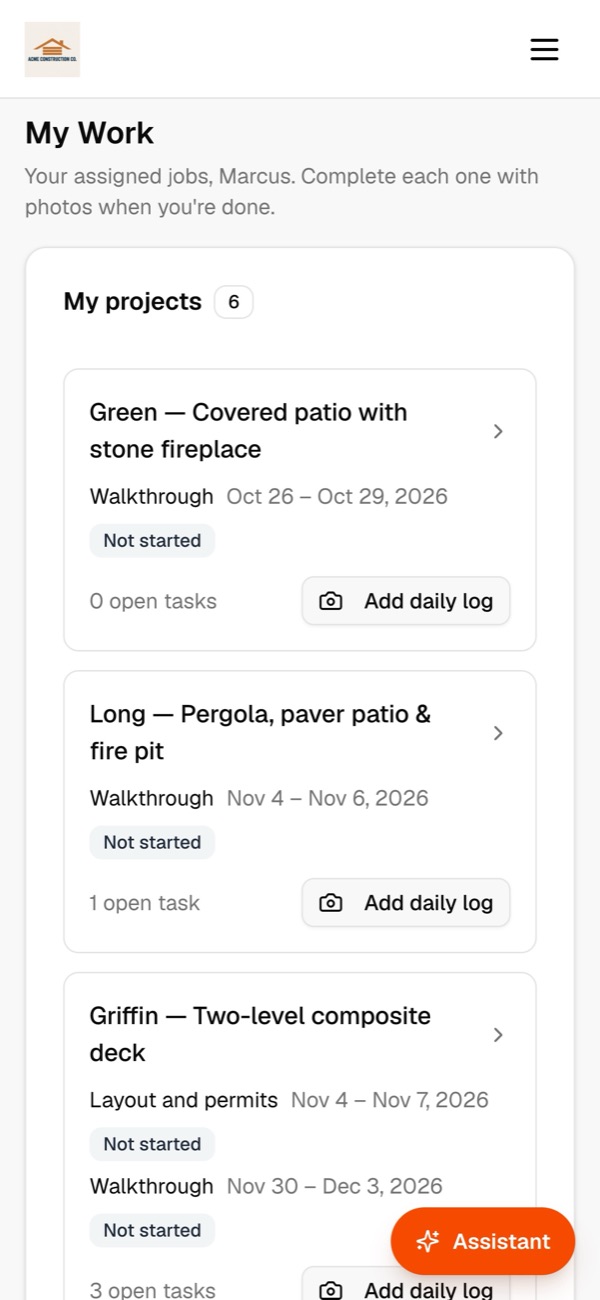
Crews open their jobs in the browser on any phone: today's stops, directions, tasks, daily logs and photos. Owners get the whole business and Scout in their pocket.
Simple pricing that grows with you
Start free. Upgrade when your business does. No contracts, cancel anytime.
Free
Everything you need to get off the ground.
$0/month
No credit card required
- ✓Up to 10 customers
- ✓Up to 2 crew members
- ✓Scheduling, projects & job tracking
- ✓Invoicing & payments tracking
- ✓Customer portal
- ✓Scout, the AI agent: 50 free requests
- ✓Free directory listing
Pro
For businesses ready to grow without limits.
$150/month
Plus usage: 500 credits a month come with Pro, then $0.02 per credit on your monthly bill. How usage works
- ✓Unlimited customers & crew
- ✓Everything in Free
- ✓Scout, the AI agent that runs the app (uses credits)
- ✓E-signatures & deposits
- ✓QuickBooks two-way sync
- ✓Email campaigns & automations (uses credits)
- ✓AI flyers, social posts & print files (uses credits)
- ✓Priority support
Marketing, Done For You
Add-on for Pro subscribers who'd rather stay in the field.
from $125/month
Billed with your Pro subscription
- ✓2–4 social media posts every month, minimum
- ✓Email marketing planned, written & sent for you
- ✓Content coordinated with our team directly
- ✓Your brand stays in front of customers year-round
Website, Managed For You
Add-on for Pro subscribers who want a site without the upkeep.
from $50/month
Billed with your Pro subscription · based on site traffic and moderate updates
- ✓Website build — up to 5 pages
- ✓Content and SEO optimization included
- ✓Ongoing hosting, updates & maintenance
- ✓Your site stays current while you stay in the field
How usage is billed on Pro
Pro is $150 a month plus what you use. AI and automated features run on usage credits, and 500 credits a month come with the plan. Past 500, each credit is $0.02. At the end of each month we add the credits you actually used past 500 to your bill. Unused credits don’t roll over.
- Email campaign message
- 1 credit each
- Billing email you send
- 1 credit each
- Automatic payment reminders
- 5 credits per invoice
- Route optimization
- 1 credit per route
- AI flyer image
- 25 credits
- AI social image or print upscale
- 15 credits
- AI copy draft or Facebook post
- 1 credit
- Scout, the AI agent
- Our AI cost, no markup
For example, 300 campaign emails, reminders on 20 invoices and 60 optimized routes come to 460 credits: inside the 500, so nothing extra. Ten AI flyers on top of that add 250 credits, and the 210 past 500 add $4.20 to that month’s bill.
AI marketing and Scout are opt-in: an owner or staff admin turns them on, and the credit cost is shown where you use them. Scheduling, photos, leads, QR codes and the customer portal never use credits. Every business gets 50 free Scout requests, and Free plans are never charged for usage.
Hiring a pro instead?
Describe the job in your own words. We'll match you with local businesses neighbors recommend.
See it run your business
Book a 20-minute walkthrough with your own jobs, crews and price book, or ask us anything. We usually reply the same day.
- We’ll import your customers and QuickBooks for you
- Bring your trickiest job and watch Scout, our AI agent, handle it
- No commitment, no credit card
Spend your time on the job, not the software.
Start freeFree for up to 10 customers. No credit card.